Forms & CRM for vibe-coded websites
Your AI built the form.
We make it send.
Lovable, v0 and Bolt design great contact forms, but the messages go nowhere. Paste one prompt and every submission lands in your free Leadon inbox.
Your Leadon inbox
POST /f/7c1e… → 201
- New
Olivia Martin · 2h
We need a booking flow for our studio. Is this something you could help with?
- Contacted
Noah Kim · 1d
Our v0 prototype is live, now we need someone to make it production ready.
Works with every AI builder
- Lovable
- v0
- Bolt
- Cursor
- Claude Code
- Replit
- Windsurf
- Framer
- HTML
How it works
From prompt to working form in three steps
- 1
Create a form
Sign up for free and create a form in seconds. Nothing to install, no fields to set up.
- 2
Paste the prompt into your AI
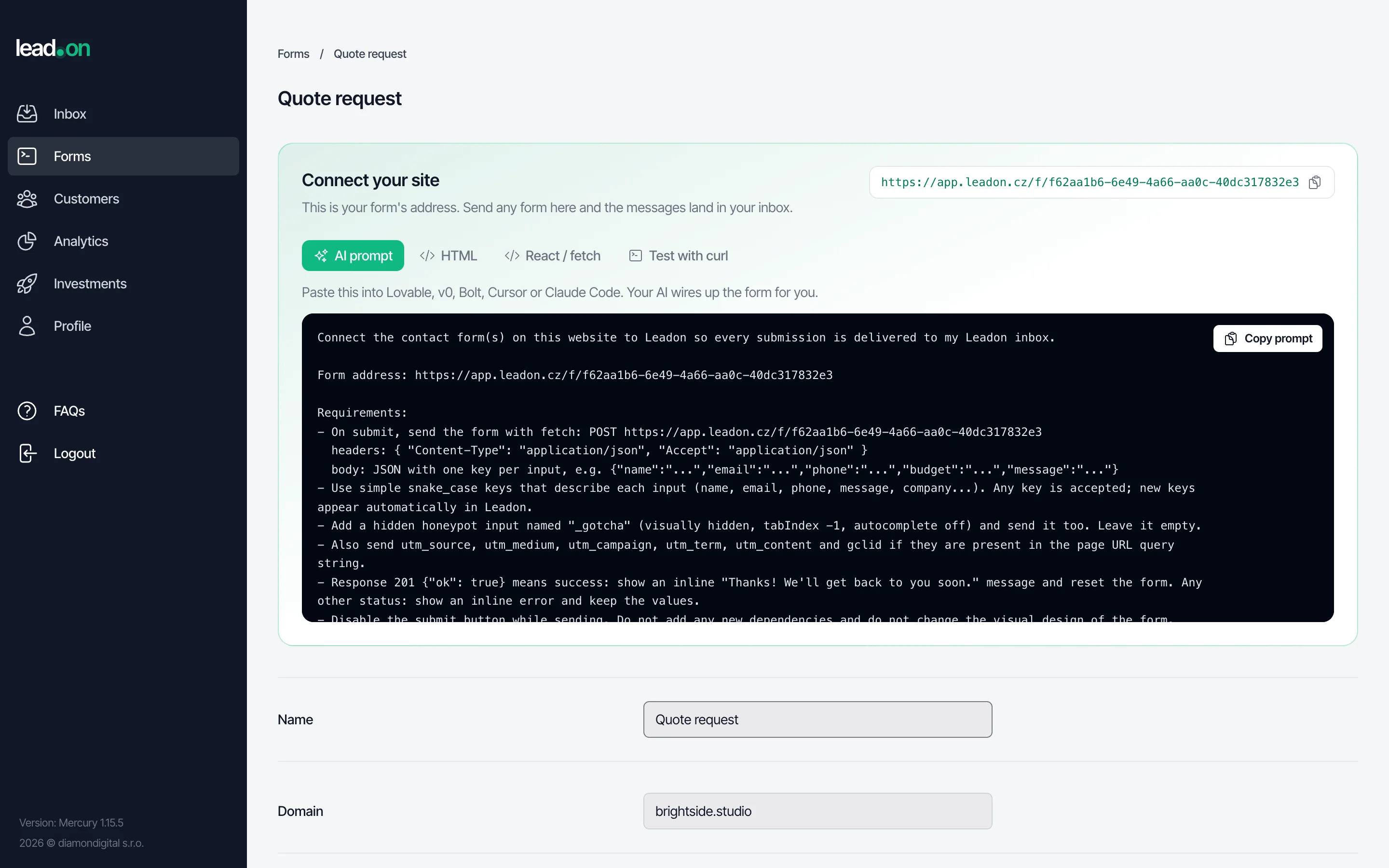
Copy the ready-made prompt into Lovable, v0, Bolt or Cursor. Your AI connects the form, adds spam protection and a thank-you message, and keeps your design.
- 3
Messages land in your inbox
Every submission shows up in Leadon and you get an e-mail or a phone notification. Nothing gets lost.
Writing the code yourself?
Every form gets its own address. Point an HTML form at it or send JSON with fetch. Works on any site, framework and hosting.
<form action="https://app.leadon.cz/f/<your-form-id>" method="POST">
  <input name="name" placeholder="Your name">
  <input name="email" type="email" placeholder="E-mail">
  <textarea name="message"></textarea>
  <input name="_gotcha" style="display:none" tabindex="-1">
  <button>Send</button>
</form>
Built-in CRM
Not just a form. A tiny CRM that stays out of your way.
All submissions from all your sites in one inbox. Find anyone in a second, move deals through a simple pipeline and never lose a lead in your e-mail again.
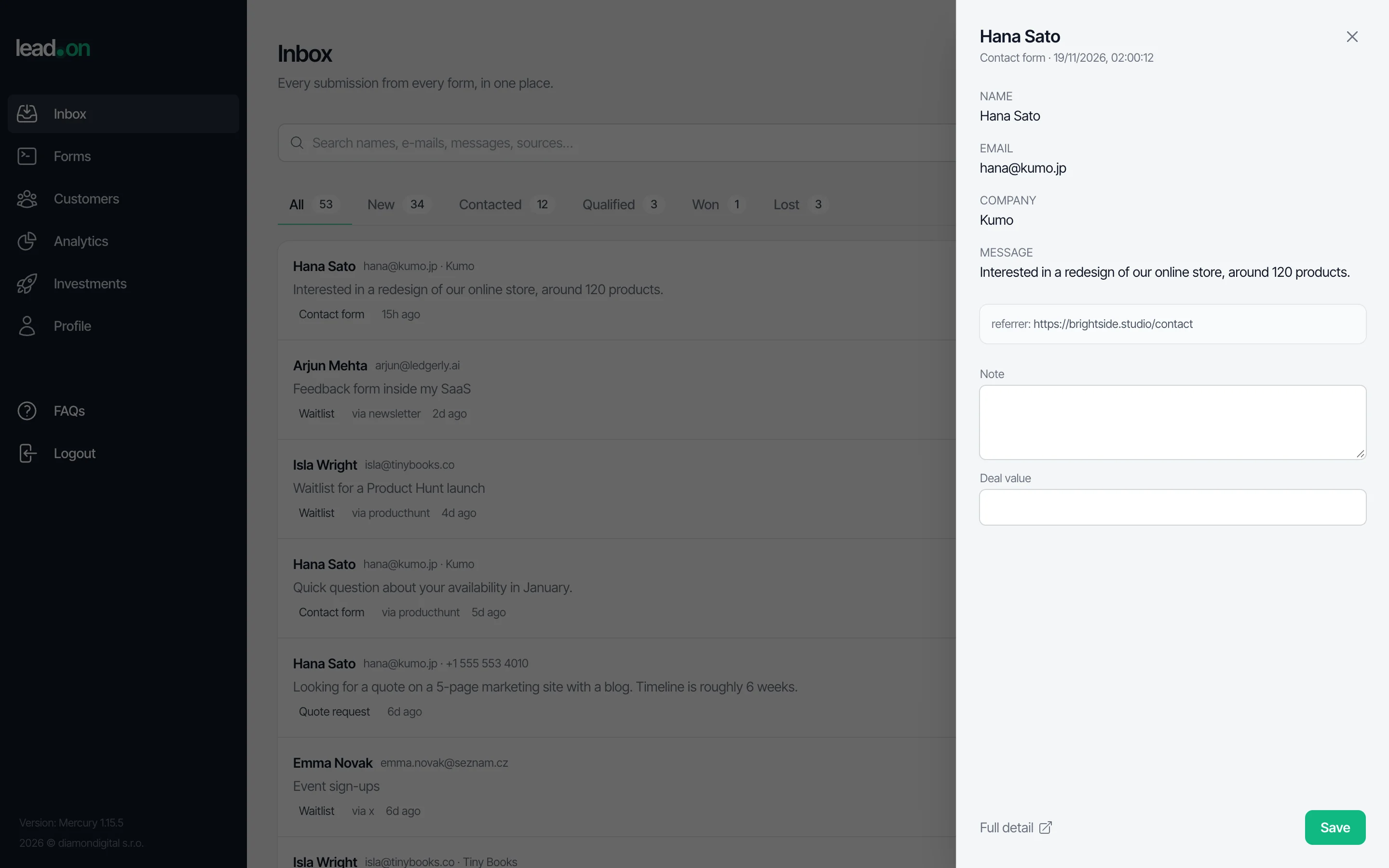
- One inbox for every form
- Landing page, waitlist, quote request. All in one place, filterable by form.
- Instant search
- Search names, e-mails, messages, sources and notes across everything.
- Simple pipeline
- New, contacted, qualified, won, lost. Change status in one click and add notes and deal value.
- Know where leads come from
- UTM parameters, referrer and Google Ads click ID are captured automatically.
- Notifications
- E-mail alerts for your team and push notifications in the mobile app.
- Spam protection
- Bots are filtered out automatically, without annoying CAPTCHAs.
MCP server
Let your AI agent do the busywork
Connect Leadon to Claude Code, Cursor or Claude Desktop. Your agent can create a form, wire it into your codebase and answer questions like “who asked for a quote this week?”
create_formCreate a form and get its address
get_form_snippetGet the AI prompt, HTML or fetch code
list_leadsSearch and filter leads
update_leadMove leads through the pipeline
- Remote MCP over HTTP. Create a token in your profile and paste one command.
claude mcp add --transport http leadon https://app.leadon.cz/mcp \
  --header "Authorization: Bearer <YOUR_TOKEN>"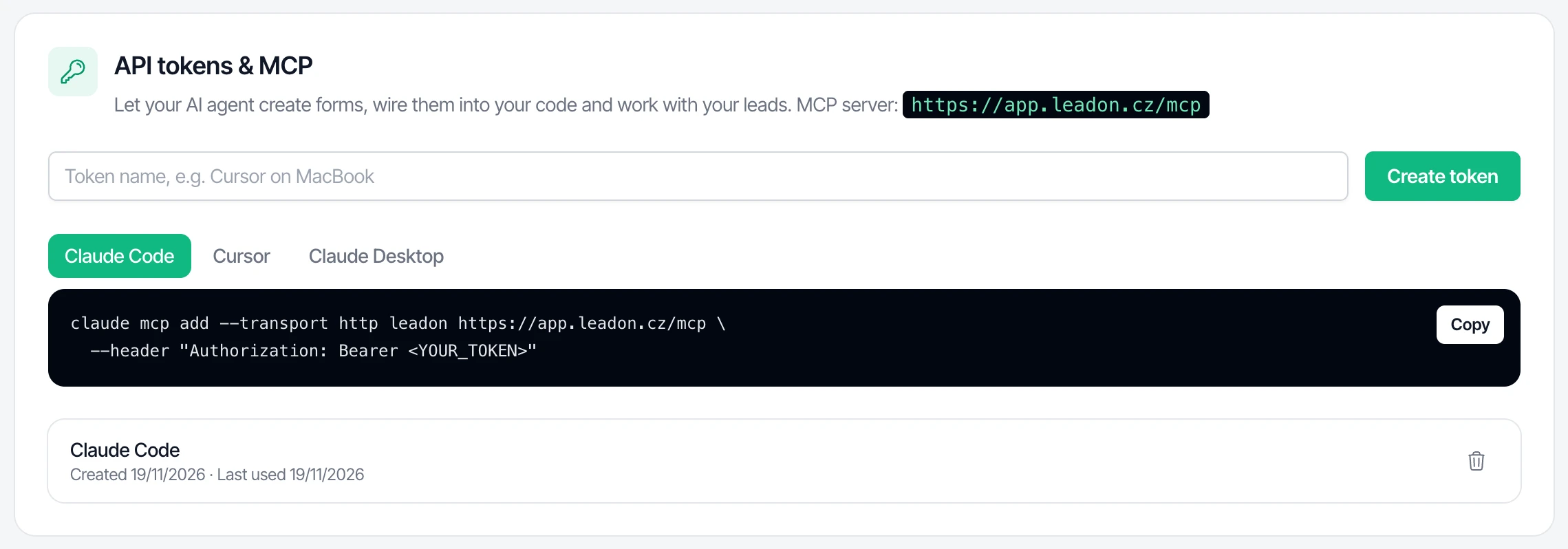
Pricing
Free for makers. Really.
No credit card, no trial that runs out. Need something custom for a bigger team? Talk to us.
Free
$0forever
- ✓Unlimited forms
- ✓Inbox with search and pipeline
- ✓Ready-made prompt for your AI builder
- ✓MCP server for AI agents
- ✓E-mail and push notifications
- ✓CSV export and REST API
Teams & agencies
Custom
- ✓Everything in Free
- ✓Help with migration and setup
- ✓Custom integrations
- ✓Priority support
FAQ
Frequently asked questions
Why doesn't my AI-built contact form send anything?+
AI builders design the form, but someone still has to receive and store the messages. That is what Leadon does: your form sends each message to Leadon and you see it in your inbox. Works on Lovable, v0, Bolt, Netlify, Vercel or anywhere else.
Which AI builders does it work with?+
Any of them. The prompt is plain English, so Lovable, v0, Bolt, Cursor, Claude Code, Replit and Windsurf all handle it. You can also paste the HTML snippet by hand.
Do I have to define the form fields?+
No. Leadon creates fields automatically from what your form sends. You can rename them later.
How do you stop spam?+
Every form gets an invisible trap field for bots, a limit on how often it can be sent, and an optional lock so only your website can use it.
What is MCP?+
MCP is a way to give AI assistants like Claude or Cursor access to apps. Connect Leadon and your assistant can create forms, connect them to your website and look up or update leads for you.
Is it really free?+
Yes. Leadon is free for individual makers and small projects. For teams and agencies that need more, we offer custom plans.
I already use Leadon for marketing analytics. Does anything change?+
No. Your data, integrations, the tracking script and the API keep working exactly as before. The new features are on top.
Your form could be live before your coffee cools down
Create a free account, copy one prompt and start collecting leads.
Get your free form →